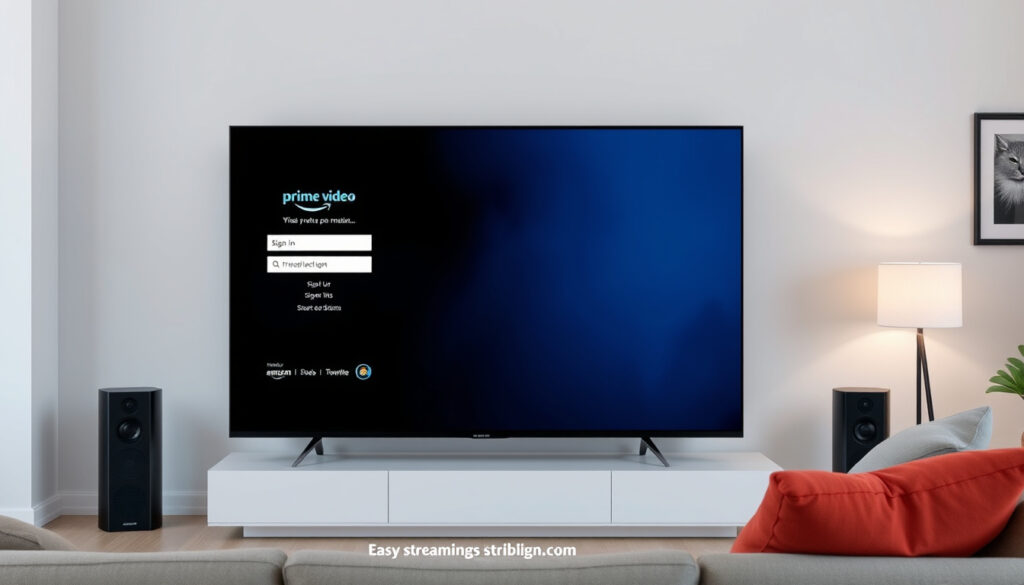
Amazon Prime Video Login: How to Sign In & Fix TV Issues
You’re on the couch, remote in hand, ready to watch — and your smart TV’s Prime Video app won’t let you sign in. The frustrating part: your Amazon account works perfectly on your phone and laptop, which means the problem isn’t your password or your subscription.
Official Login Page: www.primevideo.com ·
Parent Service: Amazon Prime ·
Access Methods: Web, TV, Mobile ·
Help Center: Amazon Customer Service
Quick snapshot
- Sign in at Prime Video via web browser
- TV app or amazon.com/mytv code entry (Prime Video)
- Mobile app sign in (Prime Video)
- Force stop and clear cache resolves most login blocks
- Power cycle TV for 60 seconds to drain residual power
- Delete and reinstall Prime Video app as fallback
- Manage via Amazon account settings
- Cancel standalone Prime Video plan independently
- Check subscription status anytime
- Exact simultaneous stream limits unconfirmed
- Brand-specific menu paths vary by TV model
- iOS/tvOS-specific troubleshooting steps
Three access points, three common failure points, and one recurring root cause: app-level data corruption that has nothing to do with your account standing.
Key login details for Amazon Prime Video appear below.
| Field | Value |
|---|---|
| Primary URL | www.primevideo.com |
| Sign In Help | Amazon password reset help |
| Storefront | www.amazon.com/gp/video/storefront |
| UK Help | Amazon UK support page |
How do I Login to my Amazon Prime Video account?
Logging into Prime Video requires an Amazon account — the streaming service doesn’t maintain separate credentials. If you already have an Amazon account for shopping, that same login works here.
Web browser login steps
- Open www.primevideo.com in your browser
- Click “Sign In” in the top right corner
- Enter your Amazon email and password
- Select “Sign In” to access your account
Mobile app sign in
- Launch the Prime Video app on your iOS or Android device
- Tap “Sign In” on the welcome screen
- Choose to sign in via browser or enter your credentials directly
- Complete the CAPTCHA if prompted and start streaming
The implication: whether you’re on a phone, tablet, or computer, the web and mobile paths share the same credential system — your Amazon account is the key to all of it.
How do I Login to Prime Video on my TV?
TV sign-in works differently than on computers. Since smart TVs don’t have full keyboards, Amazon uses a two-step verification approach: you enter a short code on the TV, then confirm it on a browser.
Smart TV app login
- Open the Prime Video app on your smart TV
- Select “Sign In” when prompted
- Make note of the code shown on screen
- Visit amazon.com/mytv on your phone or computer
- Enter the code and complete sign-in with your Amazon credentials
Using Amazon Prime mytv code
The mytv code system exists because smart TV interfaces don’t support direct password entry. According to Amazon’s support forum, if the code fails to generate, reinstalling the Prime Video app resolves the issue in most cases. Rebooting your router alongside the TV reboot can also help when the TV and Amazon servers can’t establish a connection.
What this means: the TV app login isn’t broken — it’s just waiting for a handshake between your TV and Amazon’s servers. When that handshake fails, the app itself usually needs a reset, not your account.
Why can’t I log into Amazon Prime Video?
Most login failures on smart TVs fall into two categories: account problems or app-level data corruption. The critical distinction, according to detailed troubleshooting guides, is that when your account works fine on phones and computers, the issue is almost always the app, not your credentials.
Common connection errors
- Stuck on “Signing in…” — app can’t reach Amazon servers
- Code won’t generate on TV — registration handshake failed
- “Unable to sign in” message — corrupted cache blocking authentication
- Multiple devices logged in — Amazon limits simultaneous streams
Password reset steps
- Visit Amazon’s password reset page
- Enter your email or phone number
- Check your email or SMS for the reset link
- Create a new password and attempt TV sign-in again
Amazon limits simultaneous streams across devices — if you’re logged into multiple devices at once, the TV may be blocked from starting a new session. Sign out of other devices via the Devices page in your Amazon account.
The catch: before resetting your password, try clearing the app cache first. Password resets don’t fix app-level data corruption — only a full cache clear or reinstall will.
Why can’t I login to Amazon Prime on my TV?
When the TV app refuses to sign in even with correct credentials, cache corruption is the leading cause. This happens when the app stores corrupted temporary files that prevent communication with Amazon’s authentication servers.
TV app glitches
Login issues frequently occur after app updates due to corrupted cache files left behind from the previous version. Reinstalling the Prime Video app clears these files and restores normal function, according to troubleshooting guides.
Network troubleshooting
- Power cycle your TV: unplug for 60 seconds, hold the power button for 30 seconds
- Reboot your router and modem alongside the TV reboot
- Reconnect and attempt sign-in again
- If the issue persists, delete and reinstall the Prime Video app
Physical power button location varies by TV brand — some have it under the logo, others on the left or right side. Holding it for 30-60 seconds drains residual power that prevents a true reset.
What this means: a simple unplug isn’t enough — you need to drain the residual power by holding the physical power button to fully reset the TV’s internal state.
How do I manage my Amazon Prime Video membership?
Prime Video is available two ways: as part of a full Amazon Prime subscription or as a standalone plan at a lower monthly rate. Both options give access to the same content library.
Check subscription status
- Go to Amazon’s video storefront
- Navigate to Account & Settings > Your Membership
- Review your current plan and billing date
- Check if you have standalone Prime Video or full Prime membership
Cancel Prime Video only
- Visit Amazon’s subscription management page
- Locate your Prime Video subscription
- Select “End Membership” or “Cancel Subscription”
- Confirm cancellation — access continues until your billing period ends
Cancelling your standalone Prime Video plan does not cancel a full Amazon Prime membership. These are separate subscriptions with separate billing. You must cancel each one independently through your Amazon account settings.
The trade-off: standalone Prime Video costs less per month but doesn’t include Prime delivery, Prime Reading, or other Prime benefits. If you shop on Amazon, full Prime often delivers better overall value despite the higher price.
Step-by-Step: Fixing Prime Video Login on Smart TVs
When your TV won’t sign in, follow these steps in order. Most issues resolve at step one or two. If you’re having trouble signing into Prime Video, you can fix DNS server not responding.
- Force Stop the app: Go to Settings > Apps > Prime Video > Force Stop. This halts any background processes that might be interfering.
- Clear the cache: From the same menu, select Clear Cache. This removes corrupted temporary files that block sign-in.
- Remove updates (if available): Some TVs offer “Remove Updates” to reset the app to factory version.
- Power cycle the TV: Unplug from the wall for 60 seconds, hold the physical power button for 30 seconds, then plug back in and restart.
- Reinstall the app: Delete Prime Video via Apps > Manage Apps, then search for “Prime” in your TV’s app store and redownload.
- Update the app: After reinstalling, check for updates in the app store to prevent the issue from recurring.
Repeat Force Stop/Clear Cache/Remove Updates as needed — these operations are safe and won’t damage your TV or your Amazon account, according to detailed troubleshooting guides.
Confirmed facts
- Login requires an Amazon account (same as shopping)
- TV uses mytv code entry via amazon.com/mytv
- Cache corruption is the primary cause of TV login failures
- Force stop, clear cache, remove updates resolves most issues
- Power cycle unplug duration is 60 seconds
- App reinstall fixes code generation failure
- Amazon limits simultaneous device streams
What’s unclear
- Exact simultaneous stream limit number (e.g., 3 vs 4 devices)
- Precise menu paths for Samsung vs LG vs Sony TVs
- iOS/tvOS specific troubleshooting steps
- Frequency of post-update cache corruption issues
- Regional variations in app behavior
“In this case, the problem wasn’t the Amazon account at all — it was the Prime Video app on the TV.”
— Ashley Bryan, Senior Tech Assist
“This is going to drain any residual power left in the unit.”
— Tech Tutorial Creator, YouTube Fix Video
“Ensure that you’re not using the same account on multiple devices — you can only stream the content on a limited number of devices at the same time.”
— Amazon Forum Support Responder
For smart TV owners locked out of Prime Video, the path back in is straightforward: clear the cache first, reinstall if needed, and update the app to prevent recurrence. The account is fine — the app just needs a reset.
Related reading: Target Circle Card Login: Access Account, Balance & Payments
Frequently asked questions
How do I check my Prime Video subscription?
Sign into your Amazon account, go to Account & Settings, and select Your Membership. Your current plan type and next billing date appear there.
How do I cancel just my Prime Video subscription?
Visit Amazon’s subscription management page, locate the Prime Video standalone plan, and select End Membership. This cancels only the streaming plan — your Amazon shopping account remains active.
Can I log into Prime Video without logging into Amazon Prime?
Yes. Prime Video offers a standalone subscription separate from full Amazon Prime. You can subscribe to streaming only at a lower monthly rate and sign in with a standard Amazon account.
Do I Need an Amazon Prime Membership to Use Prime Video?
No. Prime Video works as a standalone service. However, full Amazon Prime includes Prime Video plus delivery benefits, Prime Reading, and other perks at a higher price.
What is Amazon Prime Video login code?
It’s a temporary code displayed on your TV screen during sign-in. You enter this code at amazon.com/mytv to link your TV to your Amazon account without typing a password on your remote.
How to use Amazon Prime mytv?
Open Prime Video on your TV, note the code on screen, then visit amazon.com/mytv on your phone or computer. Enter the code and sign in with your Amazon credentials to complete the process.
Is there Amazon Prime Video free trial?
Prime Video occasionally offers free trials for new subscribers. Check Amazon’s current offers page for available trial periods and promotional pricing.
More related posts
 LA Clippers vs Miami Heat Match Player Stats: Dec 1 Box Score
 Barry Keoghan Sabrina Carpenter Breakup: Age Gap & Health Facts
 Credit One TCPA Settlement: Eligibility, Claims, Payout
 What Is Celebrated Today? | Daily Celebrations & Saints Guide
 Denzel Washington’s New Movie ‘Highest 2 Lowest’ (2025)
 Jeremiah 29:11 – True Meaning and Historical Context
 Cast of Train Dreams: Joel Edgerton, Felicity Jones & Full List
 Blood Work Near Me: Cost, Walk-In & Vaping Impact in Ireland
